Last updated: October 13, 2026
Quick answer: AI writing tools usually predict the next likely words from patterns in training data, and the best way to evaluate them is to test your own tasks, measure editing time, and verify facts by hand. For How AI writing tools work and how to evaluate them — The Complete Guide, that means treating every draft as a starting point, not a finished answer, and checking whether the tool fits your risk level, workflow, and budget.
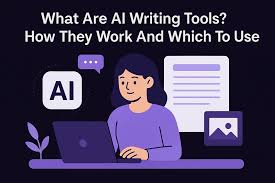
In short: AI writing tools predict the next useful words from patterns in huge training data, then wrap that prediction engine in a product that can draft, rewrite, summarize, and sometimes cite sources. If you want to judge one well, do not start with the marketing claims; start with the job you need it to do, the risks you can tolerate, and the checks you will still run by hand. In How AI writing tools work and how to evaluate them — The Complete Guide, that means looking at the model, the product wrapper, and your review process together.
What AI writing tools actually do under the hood
AI writing tools turn a prompt into a likely sequence of words, not into “understanding” in the human sense. If you ask for a blog intro, a subject line, or a product description, the model estimates which token should come next based on patterns learned during training. That is why a tool can sound fluent at 300 words and still make a wrong turn on a legal term, a product detail, or a date.
If you are trying to choose a tool, the first thing to know is that “AI writing” usually means a stack of parts, not one model. A large language model such as GPT-4-class models, Claude, Gemini, or open-source systems like Llama sits at the center. Around it, the product may add a prompt editor, templates, brand voice settings, retrieval from your documents, grammar checks, citation formatting, and approval workflows. The model generates text; the product decides how much guardrail the user gets.
That matters because the same model can feel excellent in one app and sloppy in another. A clean interface, a strong system prompt, and retrieval from your own docs can make a model look far better than a raw chat window. On the other hand, a weak wrapper can make a strong model miss your tone, overrepeat itself, or invent details because the product did not constrain it.
The easiest way to think about it is this: the model writes the draft, the product shapes the draft, and you remain the editor of record. If a vendor implies the tool “knows” your business, read that as shorthand for retrieval and prompting, not wisdom.
Quick check: if you can explain whether the tool is using a general model, your documents, or both, you are already evaluating it more intelligently than most buyers.
How does an AI writing tool turn a prompt into a draft?
An AI writing tool turns a prompt into a draft by tokenizing your input, scoring the most probable next tokens, and repeating that loop until it reaches the requested length or stopping point. If that sounds mechanical, that is the point: the output is generated step by step, which is why prompt quality, context, and guardrails matter so much.
Here is the practical version of that process, in the order it usually happens:
- First, you give the tool a prompt, a document, or both. Good prompts name the audience, goal, format, tone, and any facts that must be preserved. If you say “write a landing page,” you get generic copy; if you say “write a 120-word landing page for HR managers at a 200-person SaaS company, avoid hype, mention SOC 2 and SSO,” you give the model something usable.
- Next, the tool converts your text into tokens. A token is a chunk of text, often a word part. You do not need the math, but you should know that long prompts consume the context window. If the tool advertises an 8,000-token or 128,000-token context window, that affects how much source material it can hold at once.
- Then the model predicts the next token by weighing many possible continuations. Lower settings usually give steadier, more repeatable prose; higher settings can produce fresher wording but also more drift.
- After that, the model keeps generating until it reaches a length limit, your stop command, or a built-in ceiling. A 500-word output is not “understanding” your request; it is a bounded generation task.
- Finally, the product may run the text through extra layers: grammar correction, tone adjustment, fact retrieval, policy filters, plagiarism checks, or citation insertion. If the tool has source-grounded mode, it may attach excerpts from your docs or the web before drafting.
If you are evaluating a tool, this sequence tells you where things can go wrong. A model can be strong but get weak prompts. A prompt can be strong but get clipped by a small context window. A draft can look polished and still contain invented facts because the product never grounded it in sources.
Therefore, the most common mistake is assuming that fluency equals reliability. A tool that writes elegant nonsense is still a bad tool for anything factual. OpenAI’s documentation, Anthropic’s model guides, and Google’s Gemini materials all indicate that these systems generate likely text, not guaranteed truth. If you need that distinction in plain English, treat every output as a draft until it survives your own checks, and for legal, medical, or financial content, consult a qualified professional and verify it against the vendor’s documentation or the primary source.
Quick check: if your current use case requires exact numbers, policy language, or product specifications, you need source grounding and human verification, not just a strong model.
What actually determines whether one tool is better than another?
A better AI writing tool is the one that gives you fewer errors, less editing, and the right controls for your job, not the one with the flashiest demo. If you write marketing copy, support replies, SEO pages, or internal docs, the “best” tool changes because the risk profile changes.
Here is the part many generic comparisons get wrong: model quality is only one variable. I would rank the decision factors this way:
- Prompt control and workflow fit
- Source grounding and citation quality
- Output reliability on your task type
- Editing features and collaboration
- Data handling and privacy terms
- Price and usage limits
If you need first-draft speed for social captions, a tool with a decent model and a good template may be enough. If you need claims-heavy B2B pages or regulated content, you should care more about retrieval, audit trails, and review controls than about “creative” output. If you manage a team, a tool with shared brand voice settings and comment workflows may beat a stronger standalone chatbot.
A simple evaluation table helps separate use cases:
| Situation | Best Path | Why Other Options Fail |
|---|---|---|
| Blog drafts and SEO briefs | Tool with templates, long context, and rewrite controls | Bare chatbots waste time on prompt cleanup |
| Sales emails and outreach | Tool with short-form generation and A/B variants | Long-form-focused tools often overexplain |
| Policy, finance, or legal drafts | Source-grounded system with human review | Generic writers hallucinate details too easily |
| Team content operations | Platform with roles, approvals, and style memory | Single-user apps break at collaboration time |
| High-volume content production | Bulk generation plus strong QA workflow | “One-at-a-time” tools slow everything down |
If you are choosing among tools like ChatGPT, Claude, Gemini, Jasper, Copy.ai, Writesonic, Notion AI, or Grammarly, do not ask which one is “best” in the abstract. Ask which one is best for the exact artifact you produce 20 times a week. A content strategist, a founder, and a customer support lead should not buy the same way.
The wrong choice is often the cheapest tool or the most famous one, but the better choice is usually the one that shortens your editing queue by 10 to 20 minutes per piece. I am not giving that as a percentage claim from a study; I am saying it as a practical rule of thumb for how to think about value.
Quick check: if you can name the exact document type, review stage, and risk level, you can compare tools in a way that means something.
How do I evaluate AI writing tools before I pay for one?
You evaluate AI writing tools by testing your own material, scoring the output on accuracy and edit time, and checking whether the vendor’s limits fit your workflow. If a tool cannot handle your real prompts in a 30-minute trial, it will not magically improve after a subscription starts.
Use this sequence when you compare tools:
- Gather 3 to 5 real tasks, not sample prompts. Use one easy task, one medium task, and one hard task. For example: a 150-word product description, a 600-word blog outline, a customer email reply, and a fact-heavy explainer.
- Write the same prompt set in each tool. Keep the wording stable so the comparison stays fair. Include one prompt that asks for a specific format, one that includes source material, and one that requires a tone change.
- Check the first draft for factual accuracy, structure, tone, and completeness. Count every manual correction you need. If a draft needs 12 fixes before it is publishable, that tool is costing you time even if the prose looks smooth.
- Test the tool’s controls. Change tone, length, reading level, and format. If the app cannot reliably shift from a 50-word summary to a 1,000-word outline, it is less flexible than it looks.
- Read the privacy and data-use terms. Look for whether your prompts are used to train models, whether team data is isolated, and whether the vendor supports deletion requests. For sensitive work, this matters as much as output quality.
- Check the friction points: export formats, browser extension quality, API access, collaboration, and citation handling. A tool that writes well but traps content in a closed editor creates its own tax.
- Score the result against your real job. I would use a simple 1 to 5 scale for accuracy, editing effort, and workflow fit. A “pretty good” draft that takes 40 minutes to fix is often worse than a plainer draft that takes 10.
A lot of buyers skip steps 1 and 2, then complain that the software “feels generic.” That is usually a bad test, not just a bad product. The models are often capable enough; the prompt set was vague, or the content type was never representative of the real workload.
This is also where pricing can mislead you. Some tools charge by seats, others by credits, others by monthly message caps. A $20 plan can look cheap until it caps your usage after a few long drafts. A $49 plan can look expensive until it cuts your editing time enough to pay for itself. I cannot tell you which number wins without knowing your volume, but I can tell you to calculate cost per usable draft, not cost per month.
Quick check: if you have not yet run the same 3 to 5 tasks through candidate tools, you are not comparing tools; you are shopping impressions. For a broader framework, see the FTC’s consumer guidance on misleading claims and OpenAI’s usage and safety documentation.
When is an AI writing tool the wrong choice?
An AI writing tool is the wrong choice when correctness matters more than speed, when the source material is thin, or when your process cannot tolerate hallucinations. If you are writing regulated claims, legal terms, medical guidance, financial recommendations, or contractual language, the model should assist only under strict human review and professional oversight.
The standard advice breaks here because faster drafting is not always a win. If the tool saves 15 minutes but introduces one false claim, the downstream cleanup can eat the whole gain. A generic content tool may also be a poor fit when your brand voice depends on deep subject expertise, nuanced judgment, or live data that changes daily.
Use this path if you are in a high-risk category:
- Start with source material, not a blank prompt. Use approved documents, product specs, policy language, or citations from trusted bodies like NIST, ISO, the FTC, or professional associations relevant to your field.
- Restrict the tool to summarizing, outlining, or rephrasing. Do not let it invent new facts or recommendations unless a qualified human will verify every line.
- Require a second review by the subject expert before anything goes out. If the tool writes a compliance statement, a clinician, lawyer, or finance professional should check it, depending on the domain.
- Use version control or tracked changes. You need a paper trail showing what came from the model and what was corrected by humans.
- Set a hard rule for claims. If the tool introduces a number, date, or named standard, confirm it against the primary source before publishing.
This is where people often ask whether “citations” solve the problem. Sometimes they help, but they do not erase the need for judgment. A citation can be formatted correctly and still point to a source that does not support the exact claim made in the sentence. A source-grounded tool is safer than a freeform generator, but it is not an exemption from review.
Who this is not for: if you want a tool to replace subject-matter review in a regulated environment, I would not choose one. I would choose a narrower workflow with retrieval, approvals, and a human sign-off requirement.
Quick check: if one bad sentence could create legal, financial, medical, or reputational damage, your evaluation should prioritize control and auditability over speed. For safety guidance, review NIST’s AI Risk Management Framework and Anthropic’s model behavior notes before you automate high-stakes writing.
How should I judge output quality without getting fooled by good prose?
You should judge output quality by checking whether the draft is accurate, specific, editable, and faithful to your brief, not by whether it sounds polished. If a model gives you sleek paragraphs with vague claims, that is presentation, not performance.
The main trap is that style can hide weakness. A tool may produce fluent transitions, confident wording, and tidy bullet points while still missing your key point or inventing a detail. That is why I would separate evaluation into four buckets:
- Accuracy: Are the facts correct, current, and supported?
- Specificity: Does the text name the right product, process, or audience?
- Control: Can you steer length, tone, and format consistently?
- Edit cost: How much work remains before publication?
A useful test is the “would I publish this after light editing?” question. If the answer is no, you need to know why. Maybe the tool is weak at headings. Maybe it overuses safe filler. Maybe it cannot maintain a consistent point of view over long drafts. Maybe it keeps flattening nuance into generic optimism.
A second test is consistency across runs. Ask for the same thing twice with slightly different wording. If the output swings wildly, the tool may be fine for ideation but poor for production. If it is stable but dull, it may work for structure and fail on voice. If it is creative but inaccurate, it belongs in brainstorm mode only.
I would also pay attention to failure modes. Does the tool repeat the same phrase every 100 words? Does it ignore negations like “do not mention pricing”? Does it invent section headings that do not match your outline? These are not cosmetic issues; they are signs of how much correction your process will need.
If you are comparing tools for enterprise use, ask whether they support style guides, snippet libraries, admin controls, and audit logs. Those features are not glamorous, but they decide whether the tool helps one writer or a whole department. A good interface can save a team 30 minutes per piece; a weak one can turn every draft into a cleanup job.
Quick check: if the prose sounds good but still needs major factual or structural repair, the tool is not succeeding at the job you actually need done. For a quality benchmark, compare the draft against the APA Style guidance on clarity and the vendor’s own source-grounding features.
What edge cases break the usual advice?
Edge cases break the usual advice when your content, sources, or workflow do not fit the standard “draft and edit” pattern. If any of the situations below sound familiar, the answer changes.
-
You need up-to-the-minute information.
What changes: the model’s internal knowledge may be stale.
What to do instead: use a tool with live retrieval, then verify against primary sources dated today or this week. For markets, policy, or breaking news, a static model alone is the wrong base. -
You work in a regulated or audited field.
What changes: review, traceability, and approved language matter more than style.
What to do instead: use an approved source library, lock down prompts, and require human sign-off. NIST guidance, SEC rules, FDA labeling, or your internal policy manual should outrank the model’s phrasing. -
Your brand voice is highly specific.
What changes: generic tone features are not enough.
What to do instead: feed the tool examples, banned phrases, style rules, and preferred sentence patterns. If it still sounds off after three iterations, stop forcing it; use it for outlining instead of final copy. -
You need multilingual output.
What changes: translation quality and cultural fit become separate problems.
What to do instead: treat the first draft as a starting point and have a native speaker review it. A model can be good at literal translation and still miss local idiom, formality, or legal phrasing, so consult a qualified translator when the text matters. -
You are creating very short copy.
What changes: the model may overexplain.
What to do instead: use tighter prompts, explicit character limits, and examples. For a 90-character ad headline or a 20-word CTA, many tools work better after manual trimming than through automation alone. -
You are scaling to dozens of users.
What changes: admin controls, permissions, and cost predictability matter more than one great draft.
What to do instead: compare enterprise features, SSO, workspace controls, and content governance. A good single-user app can collapse under team use.
This is the part most generic guides miss: the “best” tool can become the wrong tool when the environment changes. A model that is fine for brainstorming may be unsafe for compliance. A tool that shines on long-form prose may be awkward for ecommerce titles. A platform that works for one creator may fail the moment ten people need consistent output.
Quick check: if your work needs live data, regulated language, or team governance, do not evaluate tools like a solo blogger would.
The practical buying decision: which tool category fits which job?
The right category depends on whether you need drafting, editing, source grounding, or team control. If you only need rough first drafts, a general chatbot may be enough. If you need repeatable workflows, a specialized writing platform can be better. If you need accuracy over creativity, retrieval and document support matter more than the model brand.
Here is the cleanest way I know to choose:
- General-purpose chat tools like ChatGPT, Claude, or Gemini are strongest when you want flexible drafting, brainstorming, summarizing, and rewriting across many tasks.
- Marketing-focused tools like Jasper or Copy.ai are strongest when you want templates, brand voice, and team-friendly content operations.
- Editing-focused tools like Grammarly are strongest when your drafts already exist and you want grammar, clarity, and tone improvement.
- Workspace tools like Notion AI are strongest when the content lives inside a broader knowledge base.
- API-first or builder tools are strongest when you need automation, custom workflows, or integration with your CMS.
If you are a solo writer, I would start with a general model plus your own checklist. If you are a team lead, I would add workflow and permissions. If you are in a regulated field, I would not buy the prettiest interface first; I would buy the tool that gives me source control and review history.
The mistake is thinking one product should do every job equally well. It usually will not. A tool can be excellent at ideation and mediocre at publishing. Another can be great at polishing and weak at originality. That is normal. Your job is to match the tool to the bottleneck.
Price also needs context. A plan that starts around $20 per month may be fine for one user and useless for a team. Enterprise pricing can be hard to compare because it depends on seats, usage, security needs, and support. If a vendor will not explain the cap, the data policy, or the upgrade path in plain language, that is a warning sign.
Quick check: if you can name the bottleneck you are buying against—speed, quality, compliance, or scale—you are close to the right category.
How to make an AI writing tool actually useful after you buy it
An AI writing tool becomes useful when you give it repeatable inputs, clear limits, and a review process that matches the risk of the content. If you treat it like a magic box, it will disappoint you; if you treat it like a junior drafter, it will pay off.
Start with a prompt template that includes audience, goal, format, tone, must-include facts, must-avoid phrases, and length. Keep one master prompt for each common task, such as blog intro, product page, FAQ, support reply, or LinkedIn post. If the tool supports saved instructions or brand voice, use them, but do not assume they will replace a good brief.
Then create a review checklist. I would include:
- Are all factual claims supported?
- Does the draft match the requested format?
- Is the tone consistent with the brand?
- Are there any repeated phrases?
- Does the call to action actually fit the page?
- Did the model invent a statistic, title, or product feature?
After that, measure your editing time for a few weeks. Not with a fantasy spreadsheet, but with a simple note: how long did the draft take to become publishable? If the tool consistently cuts your workload from 45 minutes to 20, you have a win. If it saves time on one project and creates more work on another, you may need separate tools for separate tasks.
The last thing I would do is lock in a final verdict too fast. AI writing tools improve, but product claims also change, and pricing can shift without warning. Recheck the features that matter every quarter or two, especially if your workflow depends on citations, context length, or admin controls.
Quick check: if you have templates, a review list, and a way to measure editing time, the tool can become part of a real process instead of a novelty.
FAQ
Are AI writing tools good enough to publish text as-is?
Usually not. They can draft fast, but factual accuracy, tone fit, and brand voice still need human review, especially for anything technical, regulated, or customer-facing.
What matters more: the model or the interface?
The model matters for raw generation, but the interface often decides whether the tool is usable day to day. A strong model inside a clumsy workflow can still be a poor choice.
Do AI writing tools replace human writers?
No. They shift the job toward prompting, editing, fact-checking, and judgment. The better the writer, the better the tool tends to perform in practice.
How do I know if a tool is hallucinating?
Look for unsupported claims, made-up citations, wrong dates, and confident statements that are oddly specific but hard to verify. Anything factual should be checked against a primary source.
What is the safest way to use AI writing tools for business content?
Use them for drafts, outlines, and rewrites; ground them in approved sources; and keep a human reviewer in the loop before publication.
Key Takeaways
- AI writing tools generate likely text, not truth, so the real test is how much correction they need.
- The best tool depends on the task: drafting, polishing, source-grounding, or team workflow.
- A fair evaluation uses your real prompts, not demo prompts or marketing examples.
- If accuracy or compliance matters, source control and human review matter more than style.
- The right setup is usually a process: prompt template, review checklist, and a clear approval step.
Drafted with AI; not yet reviewed by a person.