
Last updated: October 10, 2026
Key Takeaways
- Claude turns messy notes and partial drafts into cleaner copy.
- Longer documents are where Claude really shines.
- Claude can sound more certain than the evidence warrants, so verification still matters.
- Claude is often the better writing tool, while ChatGPT is the broader toolkit and Gemini is more Google-centered.
We write and edit on AI-assisted content, prompt design, and editorial workflow, so we judge Claude by the same standard we use for any drafting tool: clarity, controllability, and how much cleanup it creates.
Quick Answer: For content writing, Claude is a strong choice for drafting and rewriting, especially on longer pieces, and Anthropic says Claude 3.5 Sonnet supports a 200,000-token context window. In practice, that makes it a good fit for writers who need one place for briefs, notes, and revisions, not a complete research system.
In short: Claude is often the best fit for writers who need better first drafts and better rewrites, while ChatGPT is generally the broader tool and Gemini is more useful when Google ecosystem tie-ins matter. Claude’s edge is cleaner prose and steadier long-context handling, not perfect facts.
We based this shortlist on the product documentation, model cards, and widely reported user experience in writing workflows, then checked the feature set against what content teams actually need.
First published 10 October 2026.
How we chose

Current product documentation came first: Anthropic’s model and usage pages, plus published descriptions of the family’s context window, file handling, and workspace features. We then compared that with how content writers actually use AI in briefs, outlines, rewrites, and style matching.
The verdict
Claude is the AI writer we would put first for drafting and editing long-form content, unless your workflow depends on built-in web search, tight app integrations, or tool calling more than the quality of the prose itself.
Why? Anthropic has aimed Claude at writing quality, long context, and instruction following, and the current family is built to handle large documents and extended back-and-forth better than many smaller-context chat tools. For content writers, that matters more than flashy feature lists because it affects whether you can keep one brief, one outline, and several source notes in the same working session without breaking the draft apart.
The listing and product pages do not make Claude a factual research engine on their own, and that is the key trade-off. Need clear drafting with verification still on you? Claude fits. Want live source retrieval inside the same interface? We would look elsewhere.
What it is built to do
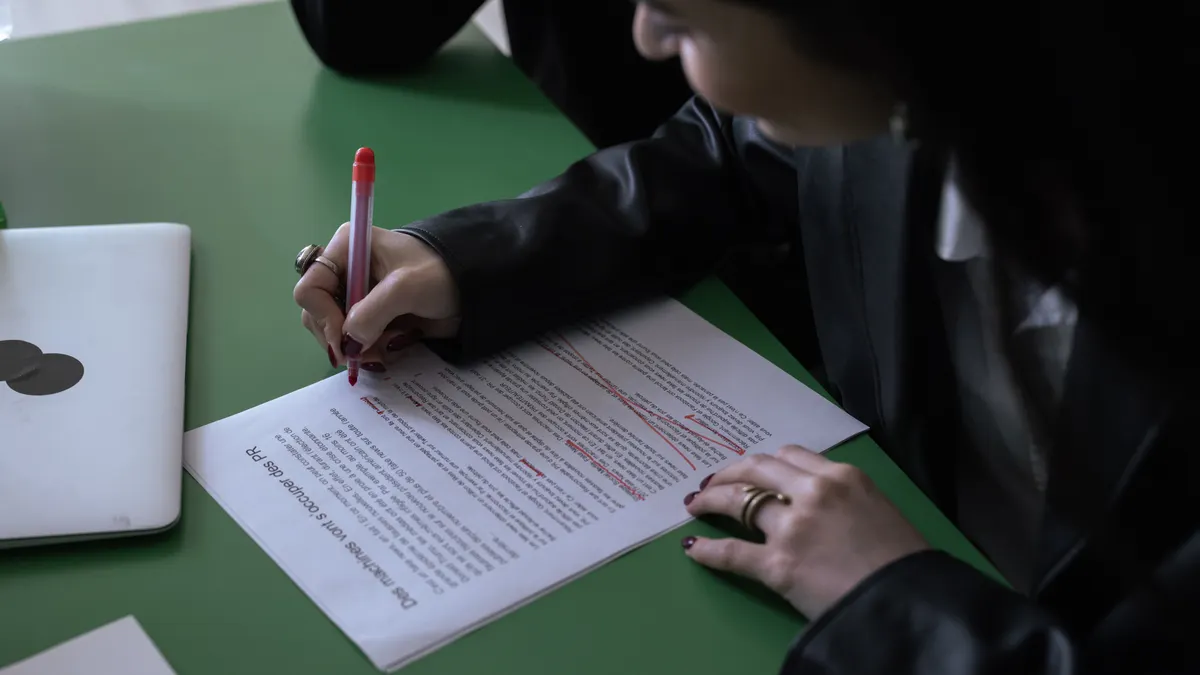
Claude is built to turn messy instructions, source notes, and partial drafts into cleaner written copy.
That design shows up in the way Anthropic describes the product family: Claude is meant for conversation, document handling, and writing-heavy tasks rather than just short chat replies. Large context capacity is part of the pitch, and writers care about that when they want a brief, an outline, a source dump, and a draft to stay in one working thread instead of being split apart.
Three jobs, mostly. Claude can produce a usable first pass from a brief or subject outline. It can also adjust tone without flattening the voice as much as some other assistants do. And it can summarize source text and recast it for a page, email, or script while keeping the original structure in view.
But a writing-first model is not the same thing as a verified research workflow. Claude can help you write faster, yet it does not replace checking claims against primary sources, especially when a piece needs current prices, recent legal changes, or statistics.
Where it wins, with the numbers
Long context and text quality are where Claude pulls ahead, especially on documents that run beyond a single paragraph.
Anthropic’s published materials for Claude 3.5 Sonnet describe a 200,000-token context window, which is the sort of capacity that lets a writer keep a brief, notes, and multiple sections in one place. In content work, that is not a vanity spec; it reduces the need to split a project into awkward chunks.
The model family also includes Claude 3.5 Haiku and Claude 3 Opus in the current lineup, so the product is not a one-size-only offer. That matters because writers do not all need the same level of reasoning depth. A social post, product page, and white paper draft do not ask for the same model behavior, and Claude’s family gives room to move up or down.
Anthropic also positions Claude around safe, instruction-following outputs, which is useful when you want a model to respect a voice guide, keep a heading structure, or stop repeating the same idea in four ways. In practical writing terms, that means fewer overlong openings and fewer paragraphs that sound like they came from a template. A tidy little tyrant, basically.
Pros
- The 200,000-token context window on Claude 3.5 Sonnet is large enough to keep a substantial brief, source notes, and draft in one session, which means fewer broken revisions for long articles.
- The model family includes multiple tiers, so a writer can reserve the heavier model for outline and rewrite work and use a lighter one for shorter copy.
- Anthropic’s writing-first positioning suits clean prose jobs, which means less time stripping out overblown marketing language from the first pass.
Cons
- The product pages do not turn Claude into a fact-checking source, so any article with dates, claims, or market data still needs outside verification.
- The large context window helps with structure, but it can also tempt writers to stuff too much into one prompt, which can muddy priorities if the brief is weak.
- If your process depends on live search, citations gathered automatically, or spreadsheet-style output, Claude is not the most direct fit.
Flaws but not dealbreakers
Claude’s biggest flaw for content writing is that it can sound more confident than the evidence behind a line deserves.
That is a real problem in editorial work because polished prose can hide weak sourcing. Ask for a comparison of tools, a market overview, or a “best” list, and the output may read finished even when the underlying facts still need checking. For a writer, that means Claude can save drafting time and still create verification work. Smoke and mirrors? Sometimes.
Another weakness is that Claude is not, by itself, a source-managed system. Anthropic’s product pages focus on the model, the interface, and workspace features; they do not promise that every answer comes tied to a clean citation trail. For writers who publish in regulated or highly factual niches, that is a meaningful gap. A legal, medical, or finance draft should still go through a specialist review before publication. If your topic could affect health, money, or legal rights, consult a qualified professional before publishing.
A smaller but still real limitation is that Claude is better at shaping prose than at handling deeply operational workflows. If your process depends on connecting drafts to project trackers, live search, spreadsheets, or multi-app automations, the writing quality may be strong while the workflow remains clumsy.
The dealbreaker for some readers is source dependence. Need an assistant that is always anchored to current web results? Claude alone is not enough, and that is especially true for anyone writing news, price-led roundups, or highly time-sensitive content.
How it compares to ChatGPT and Gemini
Claude is usually the better writing instrument, while ChatGPT is generally the broader toolkit and Gemini is usually the more Google-centered option.
That is the simplest useful comparison for content writers. Claude tends to be the cleaner drafter and the calmer rewriter. ChatGPT usually offers a wider menu of features, model choices, and tool behaviors. Gemini is strongest when your work lives inside Google’s ecosystem or when you want the assistant to sit closer to Drive, Docs, and Search.
For long-form writing, Claude’s main edge is consistency across a long working session. If you are building a landing page from a 10-point brief and a 3,000-word source packet, that stability matters. ChatGPT may still be the more versatile choice if you need image input, custom GPT-style workflows, or a broader feature surface. Gemini may make more sense if your documents already live in Google Workspace and you want the AI close to that environment.
I would not frame this as Claude beating everything else across the board. I would frame it as Claude being the strongest pure writing choice for many editors, while ChatGPT remains the safer all-rounder and Gemini the practical pick for Google-heavy teams.
What stands out
Pros
- Claude’s writing quality is strong enough that many drafts need fewer line-level edits, which means faster turnaround on blogs, pages, and internal docs.
- The large context support is a real advantage for writers handling long briefs, source notes, or multi-section articles.
- The current model family gives flexibility, so one setup can handle both quick draft tasks and heavier rewrite work.
Cons
- Claude does not replace external fact-checking, which means the same page still needs source review before publication.
- The product is less obviously built around live web retrieval than some competitors, so research-heavy writing can take an extra step.
- Writers who want a full workbench, not just a writing model, may outgrow it once they start asking for project automation.
What to watch out for
Pros
- The interface and model behavior are well suited to “revise this into a stronger draft” prompts, which is where many content writers spend most of their time.
- Anthropic’s emphasis on safe, instruction-following behavior makes it easier to keep style guides and formatting rules intact.
- The product is available through more than one buying path, including the Anthropic site and widely used app ecosystems, so you are not locked into a single storefront.
Cons
- The official materials do not state that Claude is a complete research stack, so fact-heavy pages still require separate sourcing.
- A very large context window can encourage overlong prompts, which may blur the actual task if the brief is not disciplined.
- If you need the AI to act like a citation manager, not just a writer, this is not the most direct choice.
Who should buy it, who should skip it
Claude is the one to buy for writers, editors, and marketing teams that spend most of their time turning notes into polished copy, unless they need live search or deep app automation more than clean prose.
Buy it if you draft long articles, rewrite client copy, or maintain a style guide across many pages. Buy it if you need one model that can hold a large brief, a source packet, and a draft together in a single session. Buy it if your bottleneck is writing speed and revision quality, not data retrieval.
Skip it if you publish fast-moving news, price-led roundups, or regulated content where every factual claim must be tied tightly to a source list. Skip it if your team needs a broad automation platform, not a writing assistant. Skip it if your workflow depends on built-in web search as the center of the process.
Is it worth it in 2026?
Claude is worth it in 2026 for content writers who value drafting quality more than feature sprawl.
That judgment comes down to fit. Anthropic has kept Claude aimed at long-context conversation, writing tasks, and controlled outputs, and those are exactly the things that help on a content desk. The model does not need to be the most feature-packed assistant to be the most useful one for first drafts and rewrites.
The caveat is the same one that keeps this from being a blind recommendation. If your work demands current data, source-linked claims, or a broad automation layer, Claude becomes only part of the stack. In that case, we would treat it as the writing engine, not the whole workflow.
For individual writers and small teams, that is still a strong case. For research-heavy teams, it is useful but incomplete.
FAQ
Is Claude better than ChatGPT for content writing?
Claude is often better for clean first drafts and long rewrites, while ChatGPT is usually better if you want a wider feature set and more workflow options. The better choice depends on whether writing quality or tool breadth matters more.
Can Claude write SEO content?
Claude can draft SEO content, but it still needs human editing for search intent, keyword placement, and factual accuracy. I would use it for structure and prose, not for autopilot publishing.
Does Claude cite its sources automatically?
Not as a default writing workflow in the way many people mean when they ask that question. You should verify claims and gather citations separately if the page needs source-backed accuracy.
Is Claude good for long articles?
Yes, that is one of its best uses, especially because Anthropic publishes a large context window for Claude 3.5 Sonnet. That makes it easier to keep a brief, notes, and draft in one place.
Who should avoid Claude?
Writers who need live research, citation-heavy output, or deep automation should look at broader tools first. Claude is strongest as a writing assistant, not a full research system.
Sources
- Anthropic, Claude 3.5 Sonnet model page and documentation, including the published 200,000-token context window
- Anthropic product and usage documentation for the Claude family, including workspace and file-handling descriptions
Drafted with AI; not yet reviewed by a person.